
What is a KML/KMZ File vs Markers?
A KML/KMZ is a file you upload that contain many map items at once, not just points (pins) but also lines (routes) and shapes (zones/areas/boundaries). In short, it is a list of map items. A text-based (XML) file that describes geographic features, whereas, KMZ is a zipped package that usually contains one or more KML files
Marker is usually a single saved point you create inside the TracPlus. Typically one pin/dot/point (Base/water source).
Who can see it?
KML/KMZ files can be uploaded on a per-user, per browser basis, i.e., if you upload in Chrome, it may not appear in Edge on the same machine.
Markers on the other hand, are visible to all users in that tPC account, i.e., shows up regardless f which browser or computer they use.
What are KML/KMZ Files used for?
- To share a shared set of pins everyone in an account can see (bases, water sources, helipads, hazards, etc.).
- You want the items to be “native” in TracPlus and managed as part of the account.
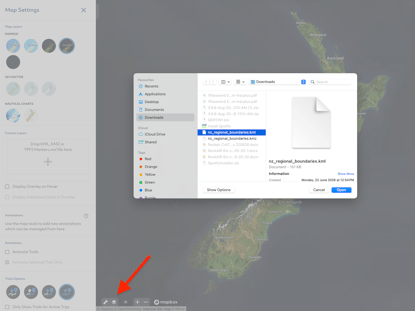
To import into TracPlus Cloud:
- Log in to TracPlus Cloud
- Go to Map → Layers or Map Settings
- Look for Import or Upload KML/KMZ
- Upload the
.kmzfile
What are Markers used for?
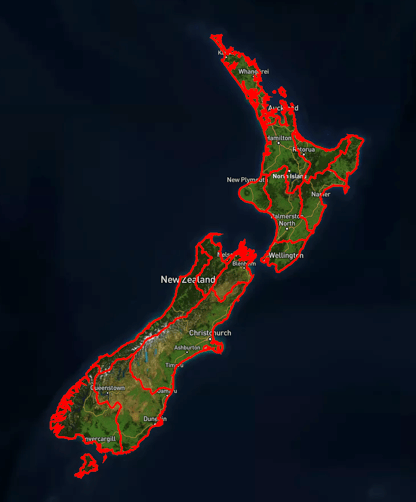
- When you have a file from a customer/GIS team (zones, districts, boundaries, routes) you want to overlay on the map.
- When you expect updates to come as a revised file that you upload.