Open Display Settings
Use either of these:
- Select Display Settings in the left hand menu, or
- Select the Adjustment icon in the bottom right corner of the screen. 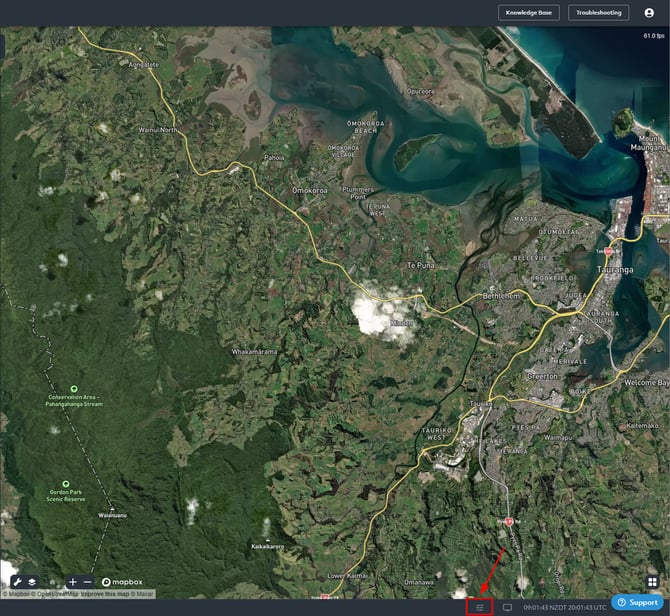
Display settings allow you to manage and modify the appearance of your TracPlus Cloud user interface. You can access the display settings from any page in TracPlus Cloud by clicking on the display settings icon located on the bottom right of the screen. Here you’ll find 3 sections:
1. General: Manage the appearance of the user interface throughout the application.
a. Colour mode: Click on either of the options to change colour mode.
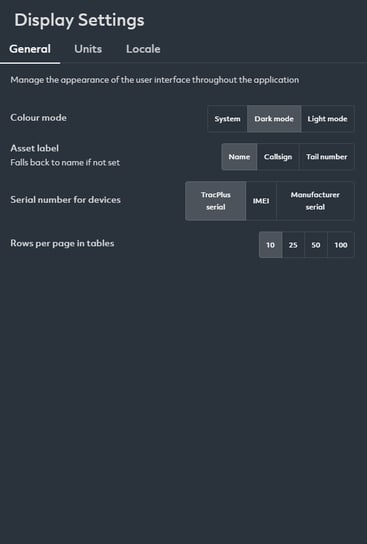
b. Asset label: You can select one of the following asset labels to be displayed. The selected option will appear throughout TracPlus Cloud
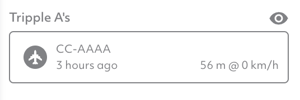
- Asset name
- Asset Callsign
- Tail number
c. Serial Number to Display for Devices: Here, you can select one of the following asset details to be displayed.
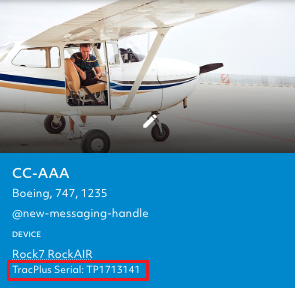
- TracPlus Serial Number (TP SN) – this is the default setting
- IMEI Number
- Manufacturer Serial Number
This change will appear to the right of the Map section, under the Device type.
d. Rows per page in tables:
Here, you can select the number of rows within a table to display (10, 25, 50, 100)
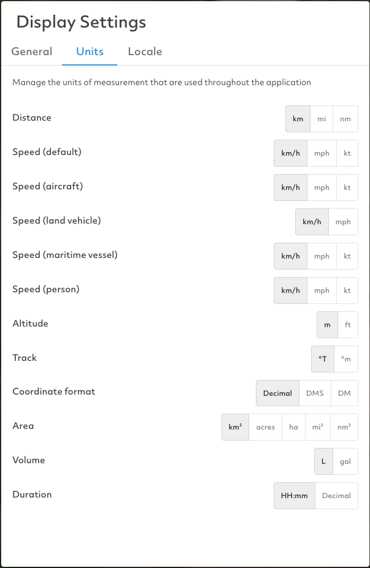
2. Units: Manage the units of measurement that are used throughout the application.
- Distance Units:
Kilometres (km)
defaultStatute Miles (mi) Nautical Miless (nm) - Speed Units (for default, aircraft, maritime vessel and person):
Km/h (km/h)
defaultMPH (mph) Feet (ft) - Altitude:
Metres (m)
defaultFeet (ft) -
Track:
Degrees True (°T)
defaultDegrees Magnetic (°m) - Format:
Decimal degrees (d)
defaultDegrees, minutes, and seconds (dms) Degrees and decimal minutes (dm) - Area:
Square Kilometres (km²)
defaultAcres (acres) Hectares (ha) Square Miles (mi²) Square Nautical Miles (nm²) - Volume:
Litres (L)
defaultGallons (gal) - Duration:
HH:mm
defaultDecimal
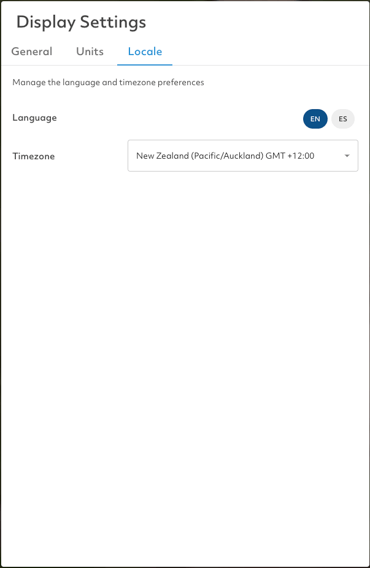
3. Locale: Here, you can change the language between English or Spanish and change the time zone.